Blog
¿Cómo incluir un temporizador de cuenta regresiva en Gmail?
Gmail es un servicio de correo electrónico gratuito de Google. En muchos sentidos, Gmail es como cualquier otro correo electrónico. Puedes enviar y recibir correos electrónicos, bloquear spam, crear una libreta de direcciones y realizar otras tareas básicas relacionadas con el correo electrónico. Al mismo tiempo, Gmail tiene una serie de características únicas que lo convierten en uno de los servicios de correo electrónico más populares del mundo.
Necesitas crear una cuenta de Google para tener tu correo de Gmail. Porque Gmail es uno de los servicios que Google proporciona a los usuarios registrados. Una cuenta se crea de forma gratuita. El proceso de creación es simple, y el nombre ingresado por el usuario formará parte de tu dirección de Gmail.
Para añadir un temporizador de cuenta regresiva a Gmail, sigue estos pasos:
-
En el editor de cartas, haz clic en el lugar donde deseas insertar el contador.
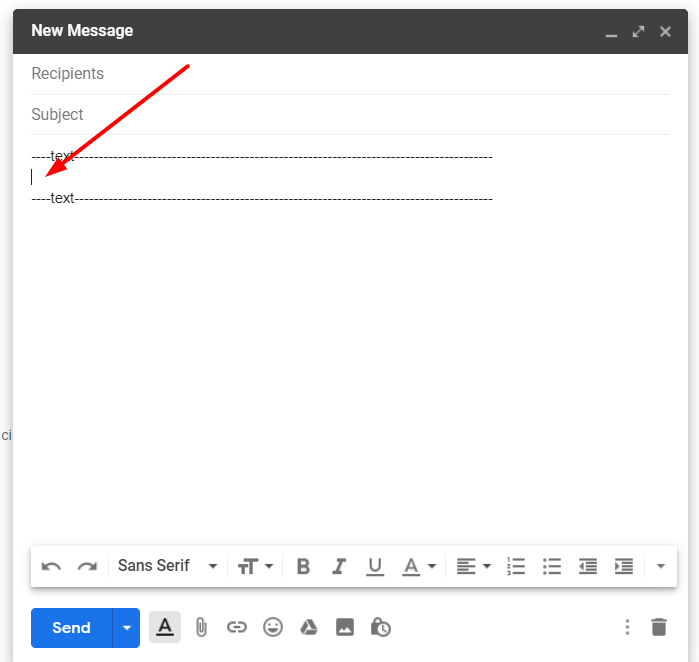
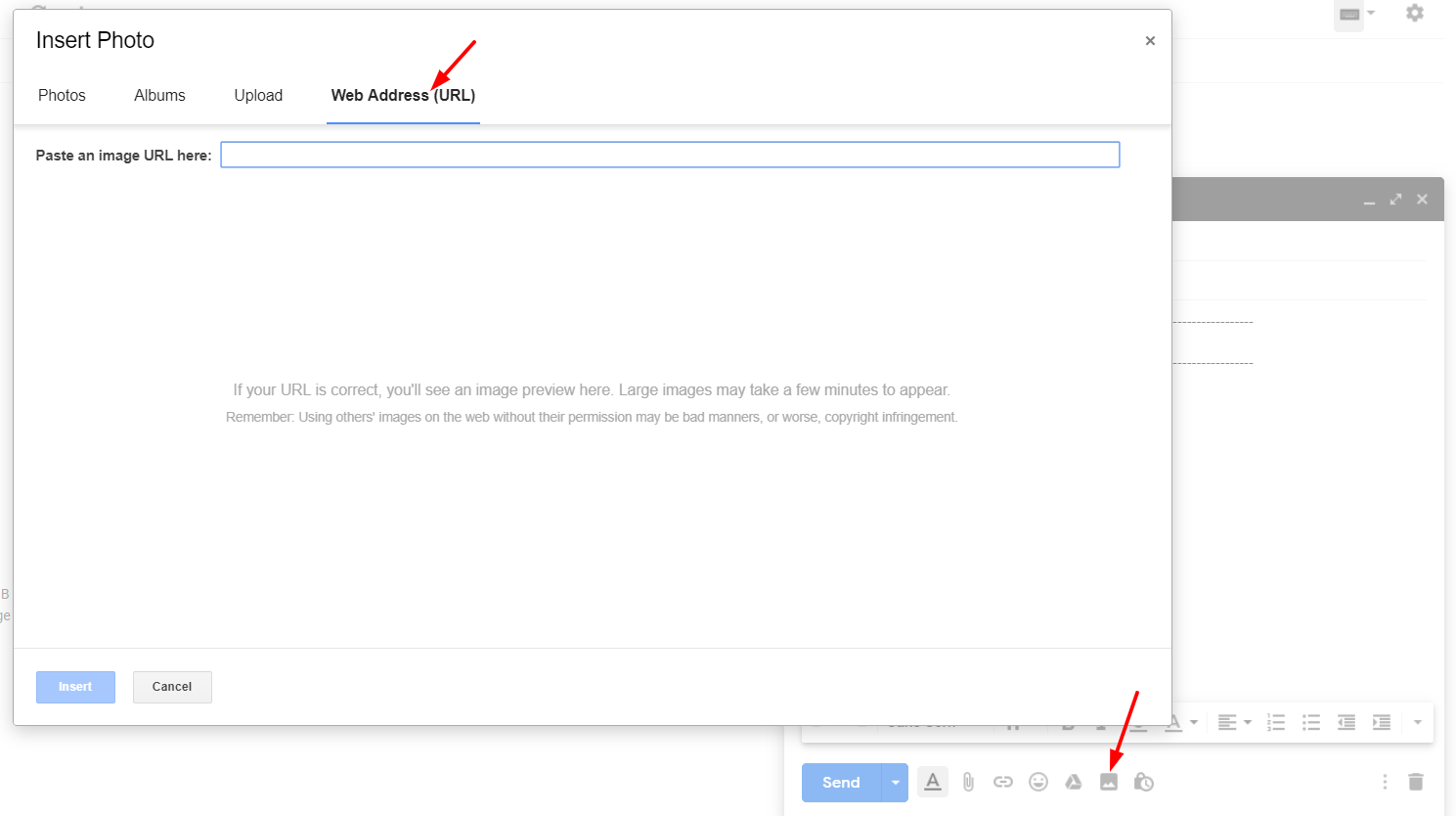
- Haz clic en "Insertar foto".
-
Selecciona "Dirección web (URL)".
-
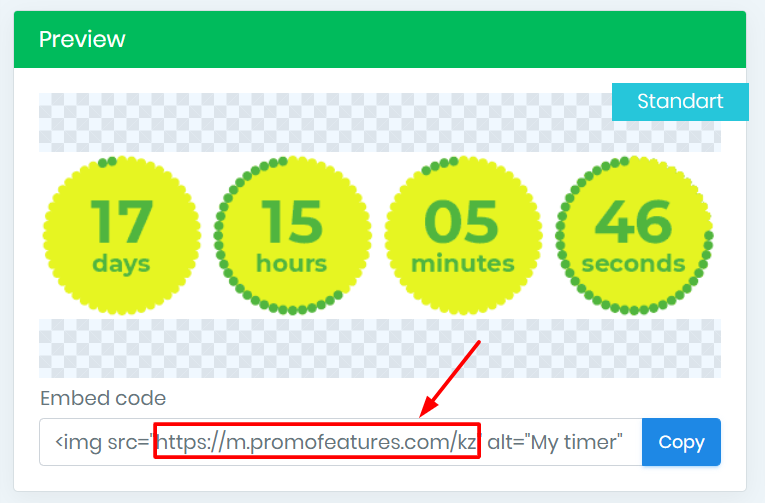
En la cuenta de PromoFeatures, copia la URL del contador creado.
-
Inserta esta URL en el campo "Pegar una URL de imagen aquí".
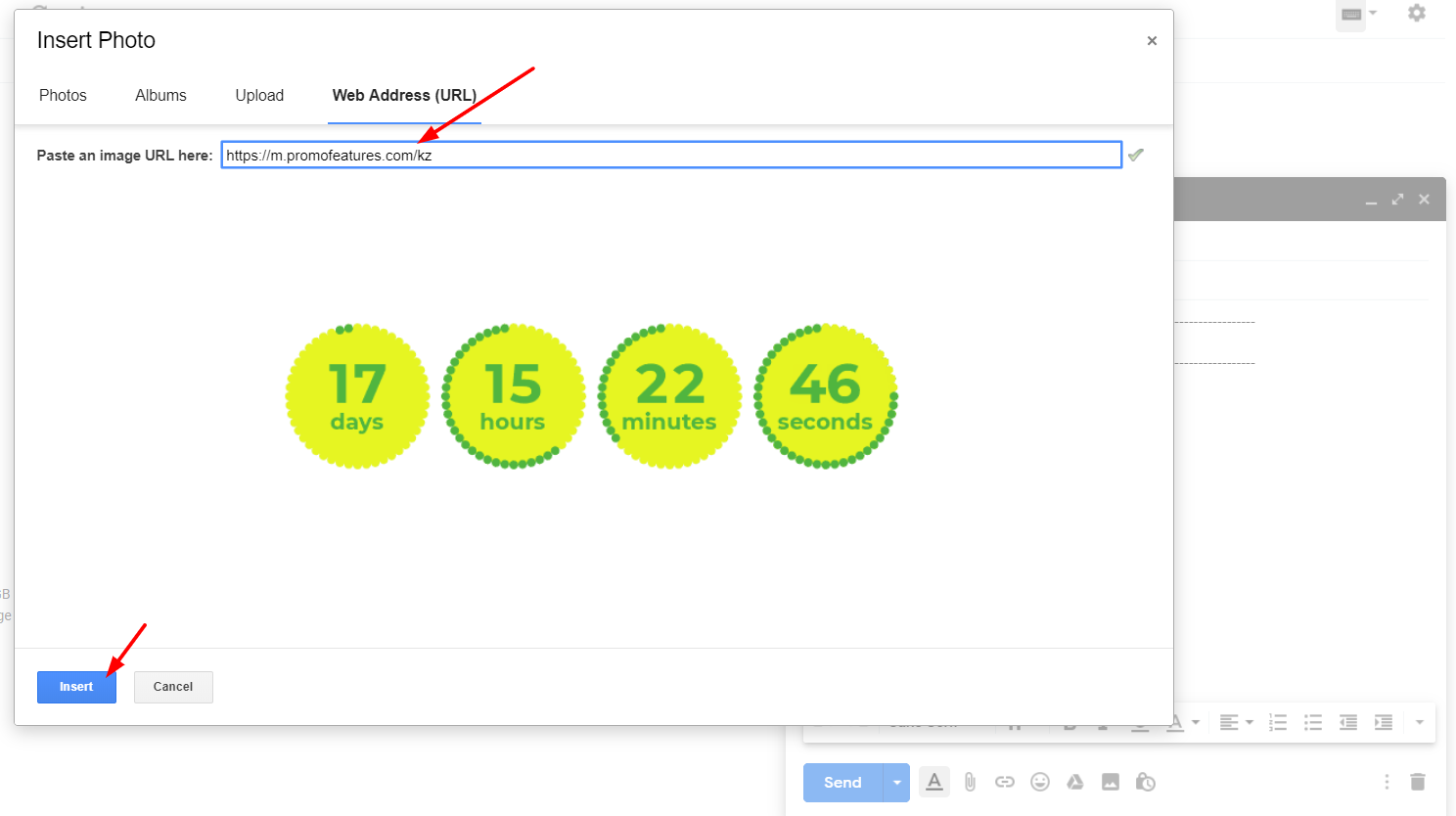
- Haz clic en el botón "Insertar".
Después de añadir el temporizador, puedes cambiar su tamaño
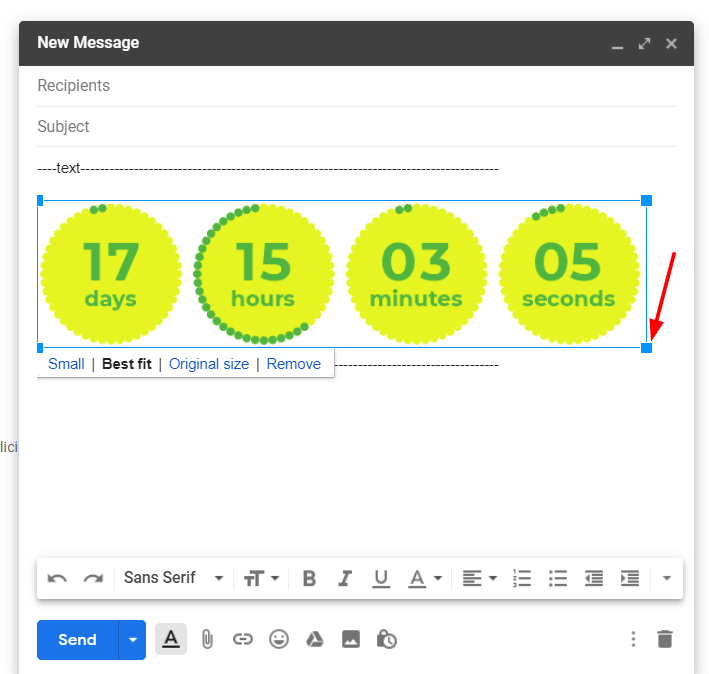
Ver el video: ¿Cómo añadir temporizadores de cuenta regresiva en Gmail?




Comments

Jelte Zijsling December 3, 2021
when I copy the link in Gmail it will count with the right time. But when I sent it to another mailaddress and the mail will be opened it starts with the wrong time (time of save). Do I do something wrong?
PromoFeatures December 3, 2021
Hi Jelte, It looks like your timer was cached, as if you saved it to your computer as a gif image and then uploaded it to a email letter. The timer will work correctly only if you add it via the "Web Address (URL)" field, in this case the timer will be loaded from our server and display the correct time. You can also forward this email letter to our mail support@promofeatures.com for an accurate analysis.
Katie Nguyen July 11, 2021
Hello, is the countdown timer will be counted base on real-time to the date of the event? or it'll be counted by the date of open email
PromoFeatures July 12, 2021
Timers for Gmail will only work until the end date (when creating a timer, you need to specify the date and time when the countdown timer will stop) in real time. We also support such a function, in which the timer is triggered by the date the message was opened, this type of timer is called transactional. Unfortunately, Gmail does not support transaction timers.
Francis Welch August 17, 2019
Thank you, your post is very useful. How to add any html to gmail, not just countdown counters?
PromoFeatures August 17, 2019
You can open html in a browser and copy the whole page and paste it into the editor, but we recommend using Chrome browser extensions called "HTML Inserter for Gmail" or "Insert Text HTML Snippets in Gmail".
To leave a comment, please log in.