Blog
Wie man eine Countdown-Uhr in Gmail einfügt
Gmail ist ein kostenloser E-Mail-Dienst von Google. In vielerlei Hinsicht ist Gmail wie jede andere E-Mail. Sie können E-Mails senden und empfangen, Spam blockieren, ein Adressbuch erstellen und andere grundlegende Aufgaben im Zusammenhang mit E-Mails ausführen. Gleichzeitig verfügt Gmail über eine Reihe einzigartiger Funktionen, die es zu einem der beliebtesten E-Mail-Dienste der Welt machen.
Sie müssen ein Google-Konto erstellen, um Ihre Gmail-Mail zu haben. Da Gmail einer der Dienste ist, die Google registrierten Benutzern zur Verfügung stellt. Ein Konto wird kostenlos erstellt. Der Erstellungsprozess ist einfach, und der eingegebene Name des Benutzers wird Teil Ihrer Gmail-Adresse.
Um einen Countdown-Timer zu Gmail hinzuzufügen, folgen Sie diesen Schritten:
-
Klicken Sie im Briefeditor auf die Stelle, an der Sie den Zähler einfügen möchten.
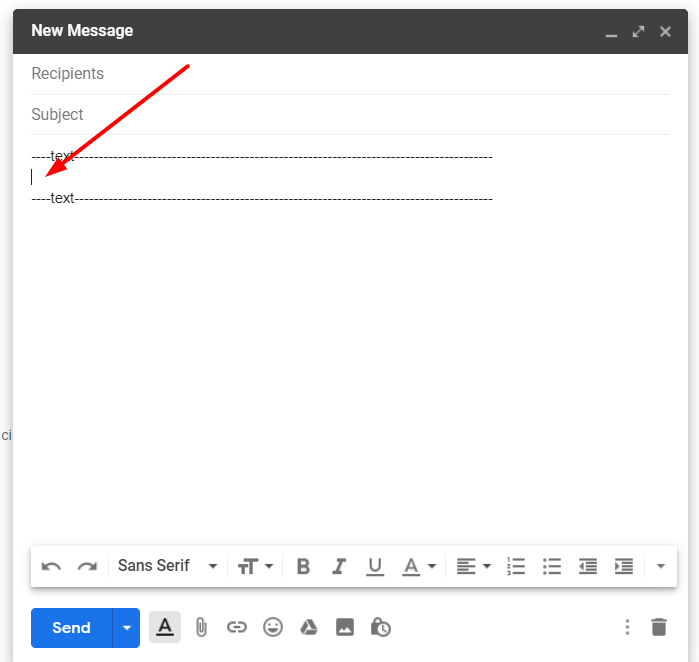
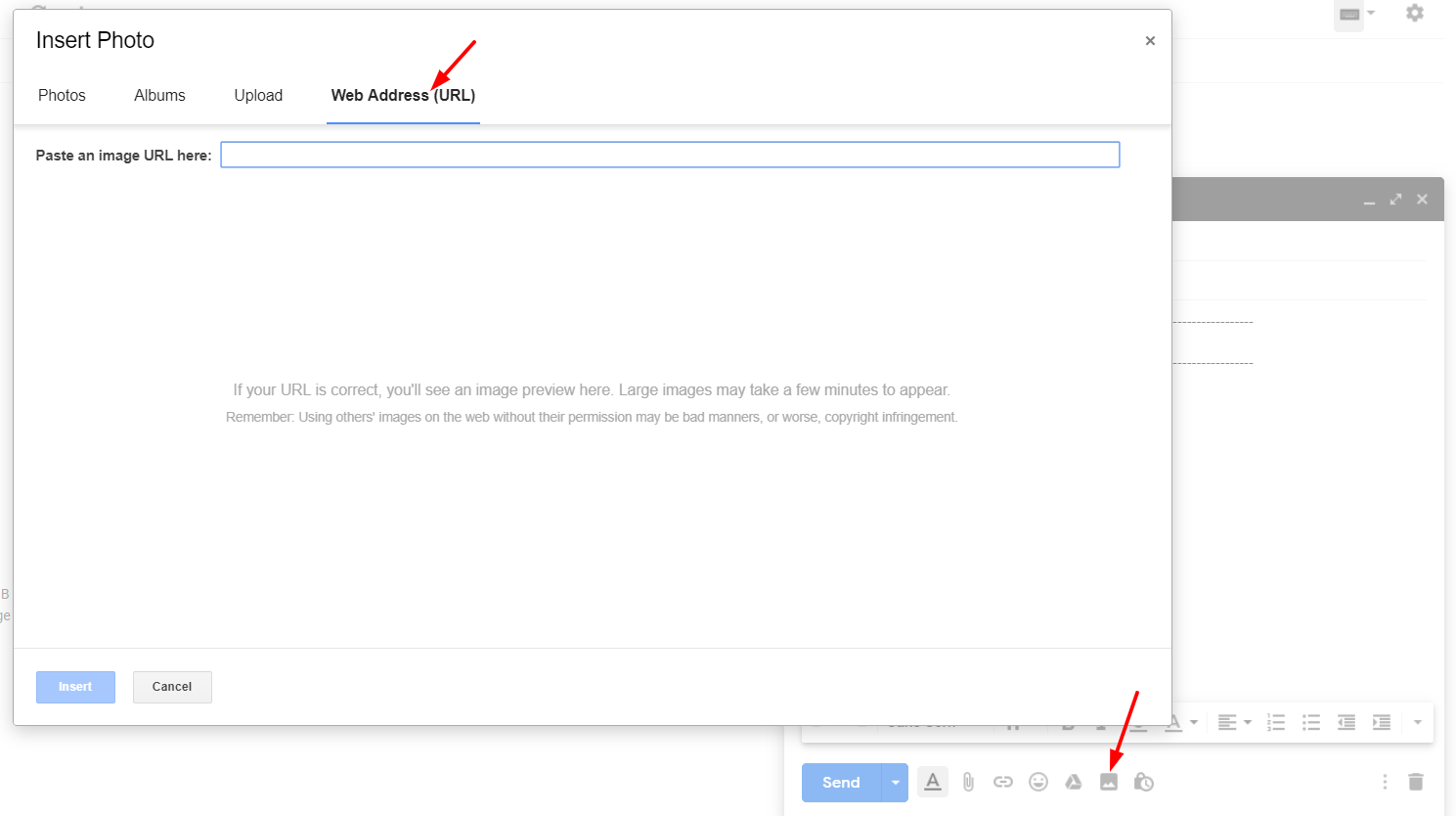
- Klicken Sie auf "Foto einfügen".
-
Wählen Sie "Webadresse (URL)".
-
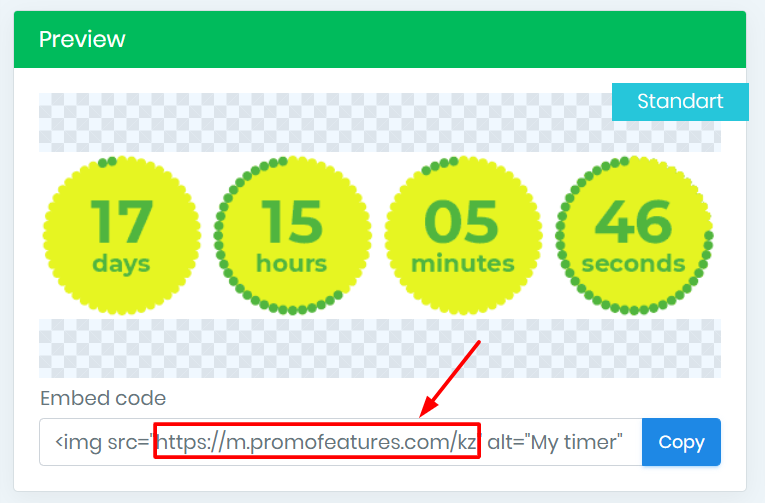
Kopieren Sie im PromoFeatures-Konto die URL des erstellten Zählers.
-
Fügen Sie diese URL in das Feld "Fügen Sie hier eine Bild-URL ein" ein.
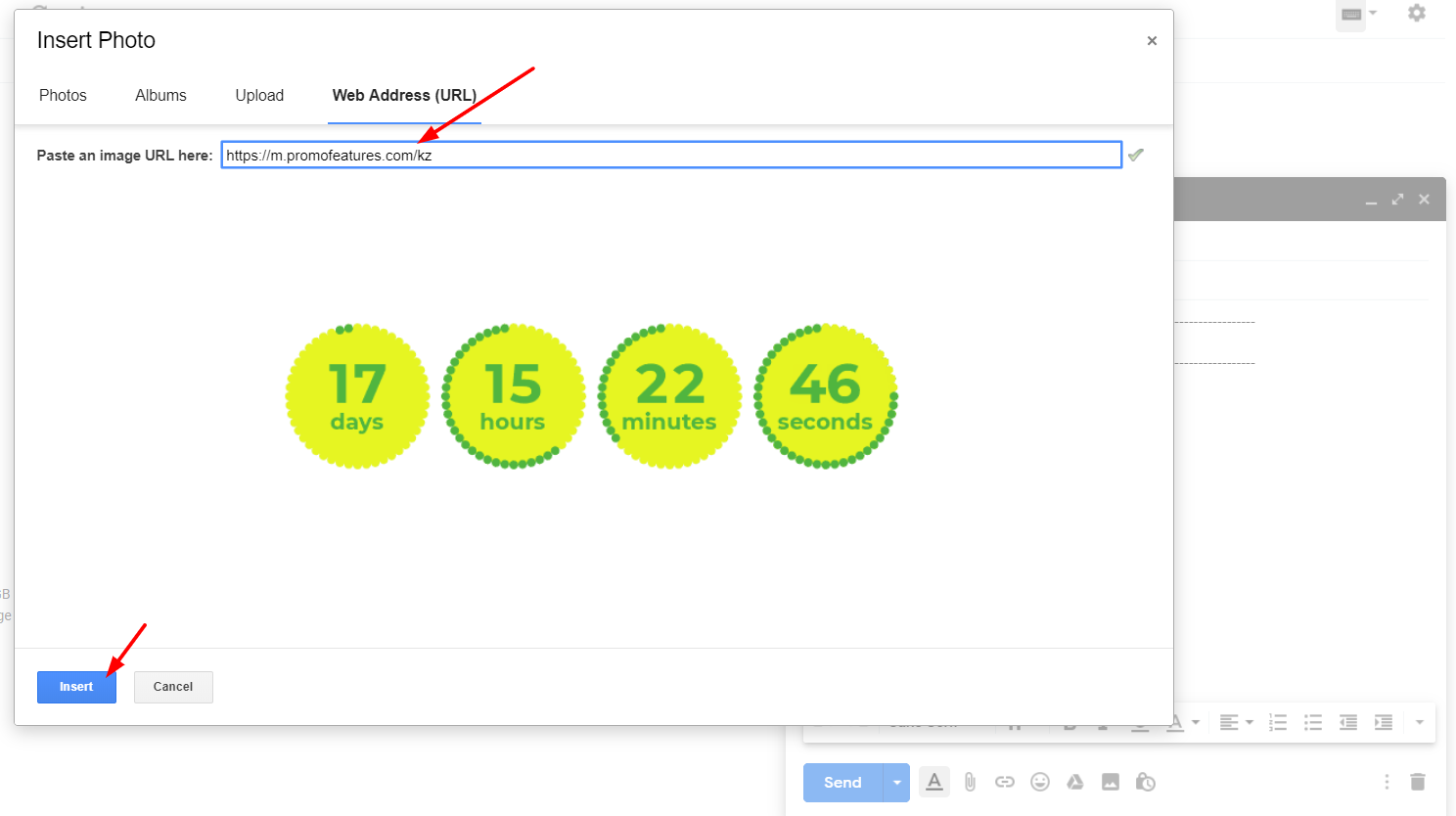
- Klicken Sie auf die Schaltfläche "Einfügen".
Nachdem der Timer hinzugefügt wurde, können Sie seine Größe ändern
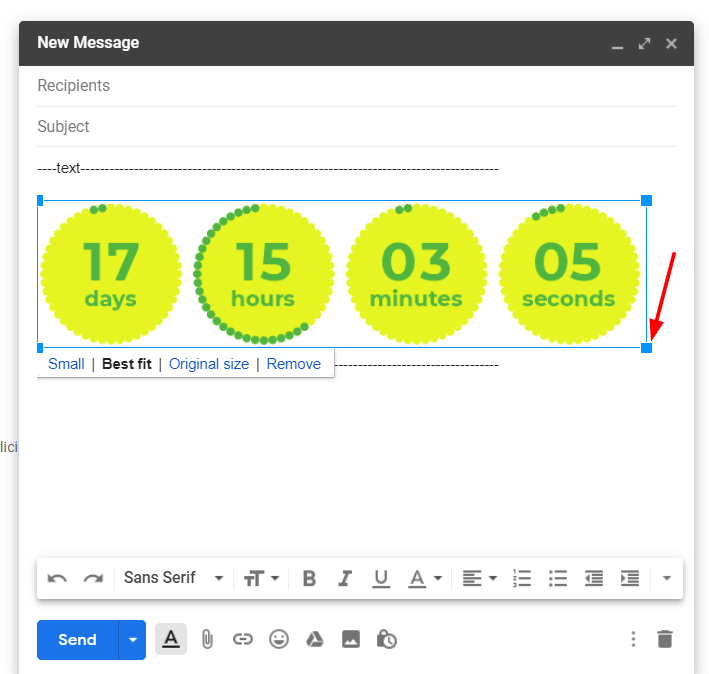
Video ansehen: Wie man Countdown-Timer in Gmail hinzufügt



Comments

Jelte Zijsling December 3, 2021
when I copy the link in Gmail it will count with the right time. But when I sent it to another mailaddress and the mail will be opened it starts with the wrong time (time of save). Do I do something wrong?
PromoFeatures December 3, 2021
Hi Jelte, It looks like your timer was cached, as if you saved it to your computer as a gif image and then uploaded it to a email letter. The timer will work correctly only if you add it via the "Web Address (URL)" field, in this case the timer will be loaded from our server and display the correct time. You can also forward this email letter to our mail support@promofeatures.com for an accurate analysis.
Katie Nguyen July 11, 2021
Hello, is the countdown timer will be counted base on real-time to the date of the event? or it'll be counted by the date of open email
PromoFeatures July 12, 2021
Timers for Gmail will only work until the end date (when creating a timer, you need to specify the date and time when the countdown timer will stop) in real time. We also support such a function, in which the timer is triggered by the date the message was opened, this type of timer is called transactional. Unfortunately, Gmail does not support transaction timers.
Francis Welch August 17, 2019
Thank you, your post is very useful. How to add any html to gmail, not just countdown counters?
PromoFeatures August 17, 2019
You can open html in a browser and copy the whole page and paste it into the editor, but we recommend using Chrome browser extensions called "HTML Inserter for Gmail" or "Insert Text HTML Snippets in Gmail".
To leave a comment, please log in.