Blog
Come aggiungere timer conto alla rovescia in Outlook 2019?
Microsoft Outlook è una suite di programmi aziendali che include molte funzioni: contatti, pianificatore di attività, rubrica, calendario e un client email.
Outlook consente di lavorare con le email aziendali: creare note, filtrare per attributi, salvare messaggi e molto altro. Tutta la popolarità di Outlook si deve principalmente al sistema operativo Windows e agli altri due giganti Microsoft: MS Word e MS Excel. Con Outlook puoi coordinare eventi, creare conferenze, usare i calendari di altre persone e organizzare riunioni. Puoi memorizzare i contatti come biglietti da visita, creare liste di distribuzione e gestire comodamente i tuoi contatti. Outlook consente di collegare più server alla casella, raccogliendo tutte le email da tutte le tue caselle di posta. Puoi gestire il tuo tempo con il pianificatore di attività, impostare promemoria e la frequenza di ripetizione.
Per aggiungere un timer conto alla rovescia in Outlook:
-
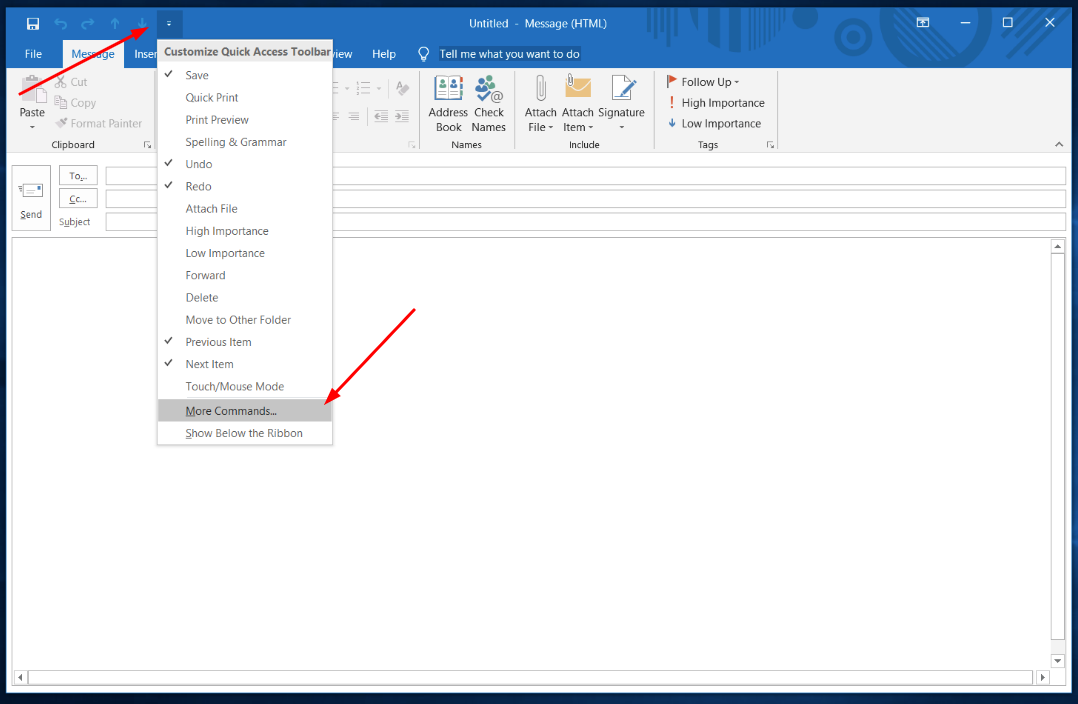
Seleziona altri comandi nella tua barra di accesso rapido.
-
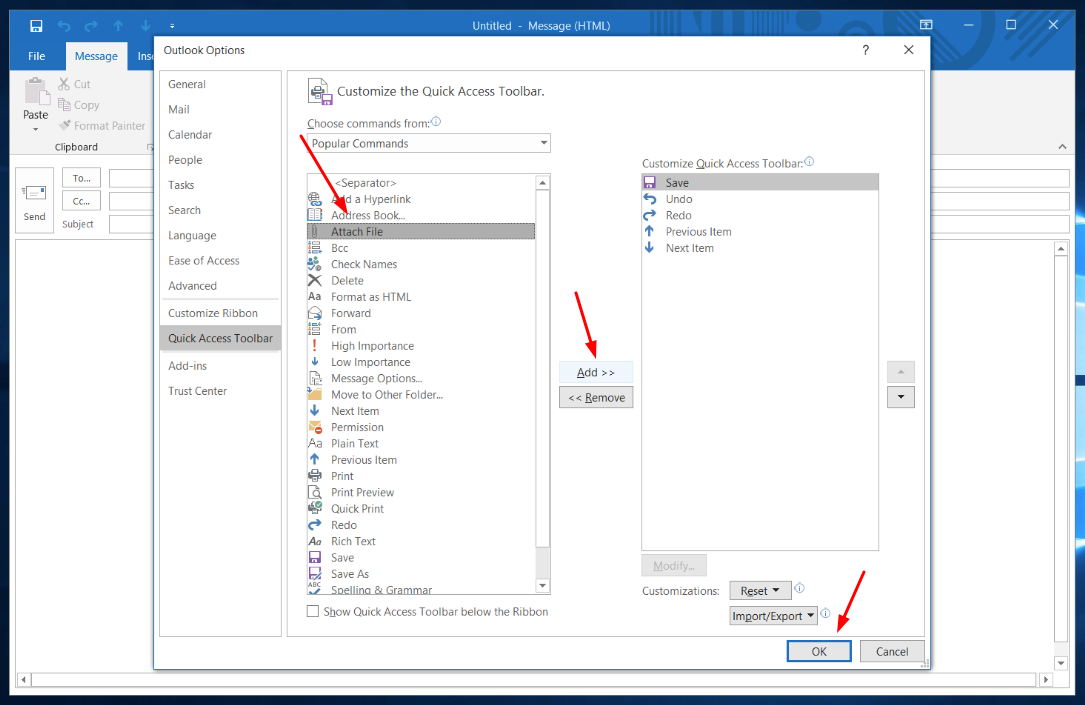
Scegli la funzione "Allega file", clicca su "Aggiungi" e poi su "Ok".
-
Nel tuo account PromoFeatures, scarica il timer come file HTML.

-
Apri la finestra "Allega file" nella tua barra di accesso rapido.

-
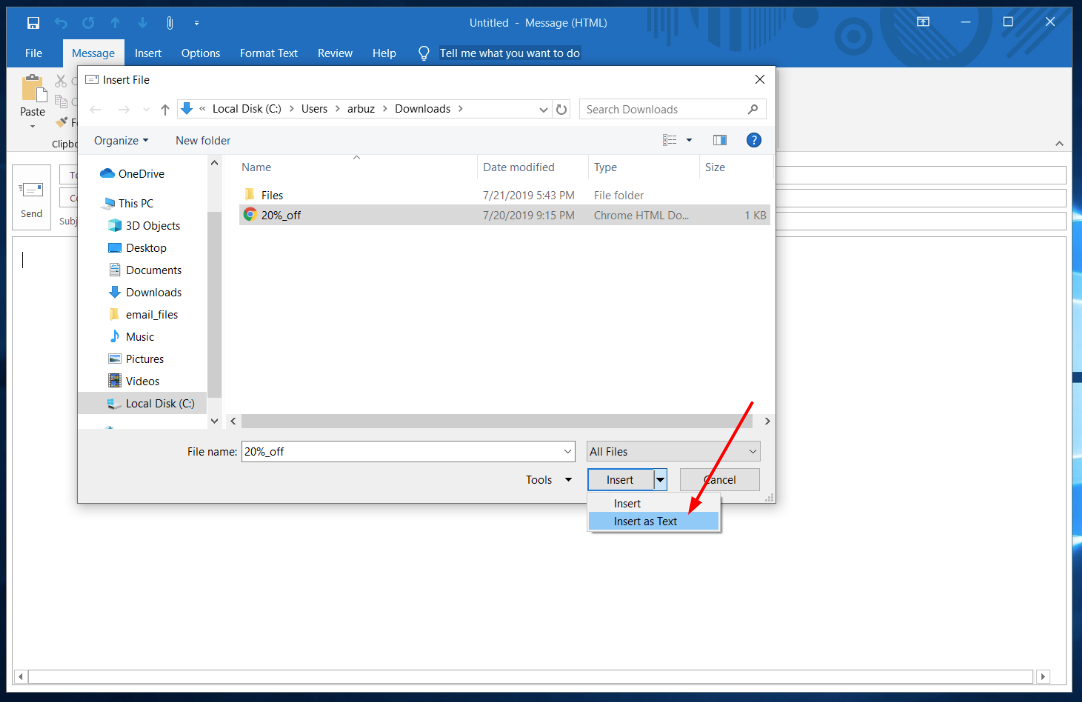
Seleziona il file HTML e clicca su "Inserisci come testo".
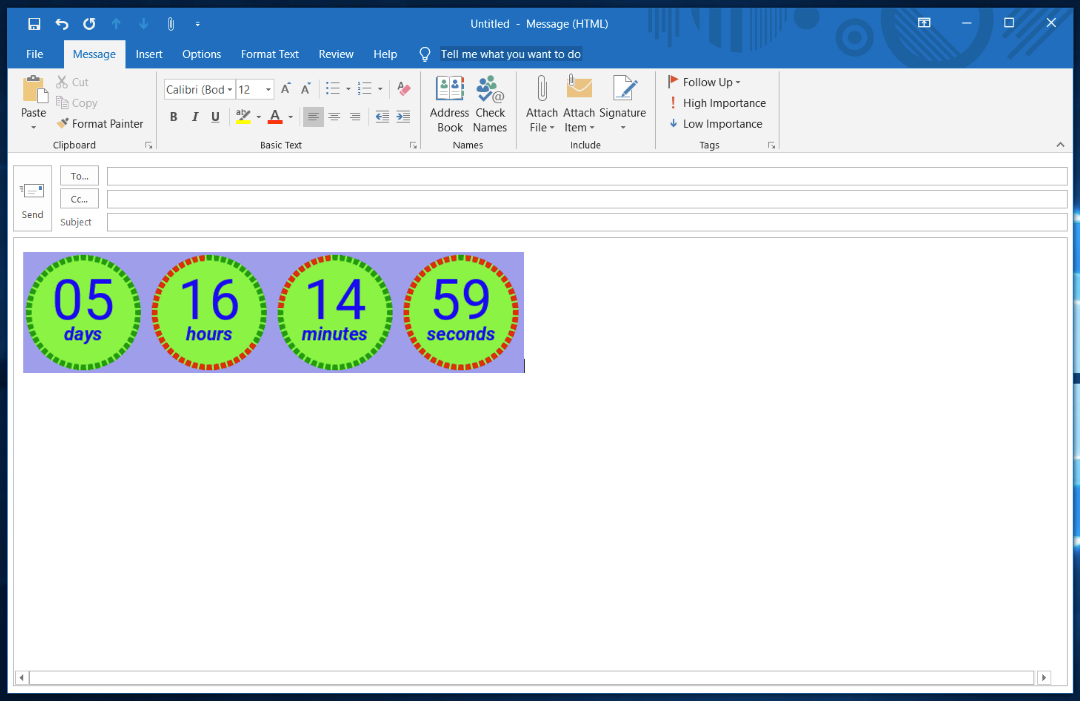
Dopo questi semplici passaggi avrai un timer conto alla rovescia nella tua email Outlook.
Guarda il video: Come aggiungere un timer in Outlook?


Comments

alix@talusminerals.com February 8, 2022
I have the outlook 2019 version, but the counter won't count down. Is there something else I need to verify?
PromoFeatures February 9, 2022
Please note that you have selected "Attach File" not the "Attach File…" button, these buttons have the same name but work a little differently and are different buttons in the top bar. More
CJ Friedman November 2, 2021
I followed the instructions but it doesn't count. what am I doing wrong. I'm using outlook 2019
PromoFeatures November 3, 2021
Perhaps you have a mac version? This article uses the Windows version
John Robinson July 6, 2019
When I connected the counter to my Outlook, it does not count. What am I doing wrong?
PromoFeatures July 6, 2019
Check your version, Outlook 07/10/13 does not support gif animations, it displays the first frame.
To leave a comment, please log in.